How to shorten a link (and why it's not optional)
Long URLs kill conversions. Short links save them. Here's what link shortening actually does, why branded domains matter, and how to set up yours in under a minute.
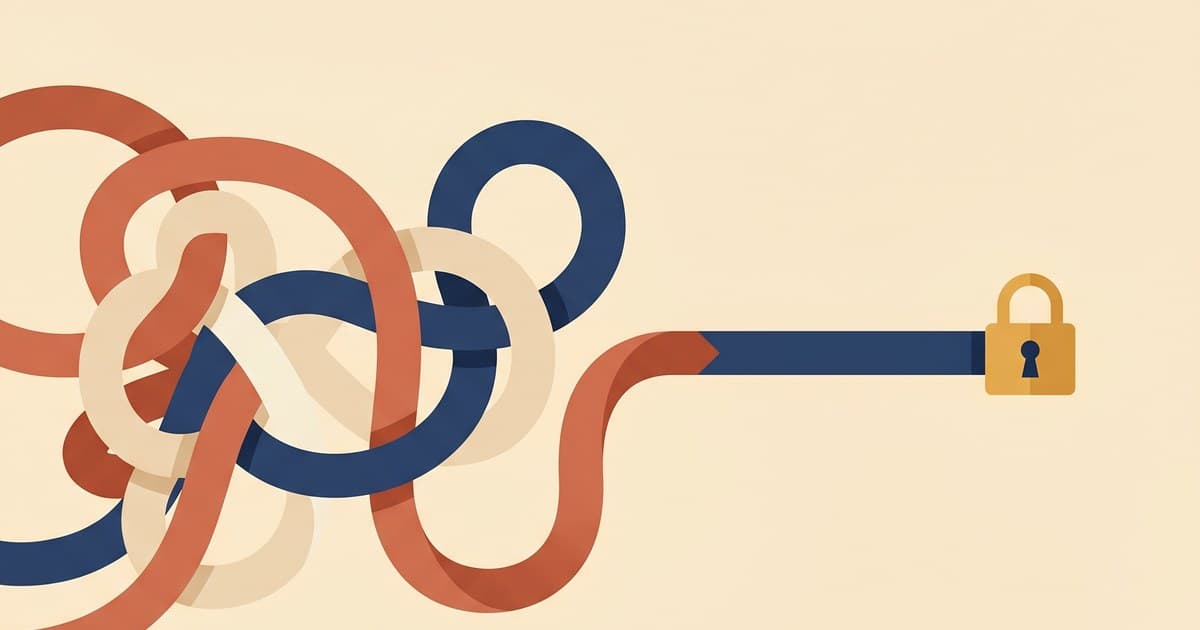
Here's a test. Which of these two links are you more likely to click?
https://www.amazon.com/Salt-Sky-Driftwood-Harbor-Book/dp/B0BX1234PP/ref=sr_1_1?crid=1A2B3CDE4FG5H&dib=eyJ2IjoiMSJ9&keywords=salt+sky&qid=1745000000&sprefix=salt+sky%2Caps%2C123&sr=8-1

storylink.to/salt-sky
Obviously the second. But most authors still paste the first into Instagram captions and wonder why their click-through rate is low.
Short links aren't a nice-to-have. They're the difference between a post that looks professional and a post that looks like spam.
What a short link actually is
A short link is a redirect. When someone clicks
storylink.to/salt-sky, the short-link service (Switchy, in our
case) looks up what full URL that slug points to, and quietly
sends the browser to that destination. The reader sees the
destination page; the short URL was just the doorway.
You get three things from this:
- A short, memorable URL that fits on an Instagram bio line, a TikTok caption, a conference bookmark, or a spoken-aloud podcast plug ("go to storylink dot to slash salt dash sky").
- Click analytics that you couldn't get from Amazon's raw URL — how many people clicked, when, from where.
- A stable link you can change later. If your book moves to a
different Amazon region, or you add a universal reader link
(Books2Read, Geniuslink), you can point
storylink.to/salt-skyat the new destination without changing the printed or posted URL anywhere.
Why the domain matters
The link shortener world has a trust problem. bit.ly/3xYz9Ab
looks sketchy. Half the time bit.ly redirects are actually going
somewhere you expect; the other half they're malware, phishing,
or Mystery Meat. Readers have learned to hesitate.
A branded short link solves this. storylink.to/salt-sky
signals "this is a book. Specifically, this one." The domain
itself is doing trust work.
For author-focused marketing, the default branded domain is
storylink.to — owned and operated as part of the Author
Automations setup. You can use it free. Every link you shorten
from /dashboard/utm or /dashboard/links defaults to
storylink.to unless you set a custom domain.
When to use a custom domain instead
Some authors want their own domain. If you have one (say,
chelleh.link or salty.co), you can point it at Switchy and
every shortened link uses your domain instead of the shared one.
Pros:
- Total brand consistency
- Links are yours, not shared
- Readers recognize your domain
Cons:
- You have to register and maintain the domain
- You need to configure DNS (Cloudflare or similar)
- The shared
storylink.tosetup is simpler, faster, and works out of the box
For most authors, shared storylink.to is fine. Authors running
massive print-media campaigns (physical bookmarks, conference
swag, magazine ads) benefit more from a custom domain because the
link becomes a brand asset.
How to shorten a link in the tool
Open /dashboard/utm or /dashboard/links and click New
short link:
- Paste the long URL
- Optionally type a custom slug (what comes after the
/). If you don't, one gets generated. - Click Shorten.
Thirty seconds. You get back:
- The short URL (
storylink.to/salt-sky) - A matching QR code (useful for print/events)
- A "copy" button that grabs just the short URL for your clipboard
The shortened link now appears in your Links + QR Codes dashboard where you can check its click count over time.
The hidden thing short links save you
Instagram doesn't let you put clickable links in captions. Only in your bio. So every time you post a book teaser, you're reminding readers to "check the link in bio."
But captions do render text that looks like a link, and
readers will copy-paste it into their browser if it's short
enough and memorable enough. storylink.to/salt-sky gets typed
out. https://www.amazon.com/dp/B0BX1234PP/ref=sr_... never does.
On TikTok and YouTube Shorts, where captions are often invisible until a user taps more, a short link that readers can hear spoken aloud in the voiceover ("storylink dot to slash salt dash sky") is the only way links survive the medium.
Custom slugs matter more than they seem
When you shorten a link, you can pick the slug. salt-sky,
ss4, sk, rose-blueberry — anything. Two rules:
1. Keep it short and memorable. 3-10 characters is the sweet
spot. Readers will type storylink.to/sk but probably not
storylink.to/driftwood-harbor-book-4-salt-sky.
2. Reuse the same slug across formats. Printed bookmark, QR
code, Instagram bio, TikTok caption — all point to
storylink.to/salt-sky. One slug per promo push. Easier to
remember, easier to update if the destination changes, analytics
roll up into one place.
Switchy BYOK (bring your own key)
Most authors use the shared storylink.to setup with Switchy's
default behavior. Advanced users can bring their own Switchy
account — in Settings → Link shortener, paste your Switchy API
key and your links go to your workspace instead of the shared
one.
Why would you? Two reasons:
- You want per-link analytics in the Switchy dashboard (detailed geo, device, referrer breakdowns)
- You're running a multi-team operation and want links isolated per team
If neither applies, the shared setup is simpler. BYOK is there when you need it.
What to do next
- Open the UTM builder and shorten your first link right now. Two minutes, immediate payoff.
- If you're running a launch, read the Launch Playbook Part 1 — pre-shortening your book link is step 3.
- For print materials specifically, QR codes for authors covers how to get a QR code for any short link you create.