The newsletter-to-social loop: one piece of content, a week of posts
Writing a newsletter and then writing separate social posts is doing double work. Here's how to turn one newsletter into a week of social content — without sounding like a copy-paste job.
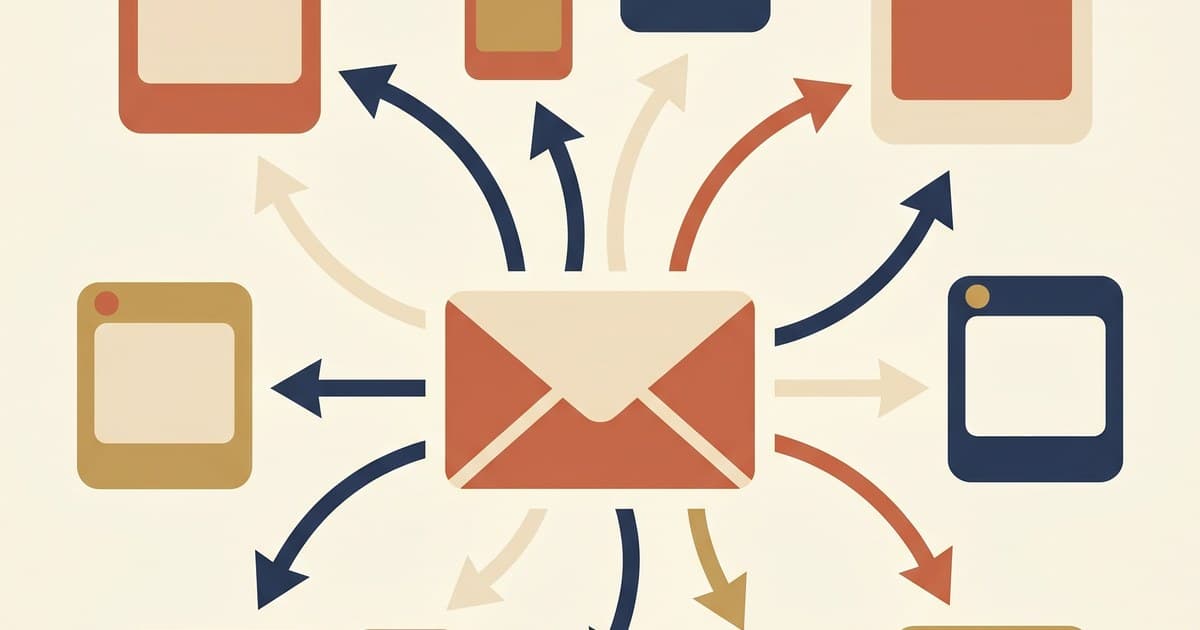
Most authors run two content operations in parallel: a newsletter once a week, and social posts every day. It feels like separate jobs because they are — but they don't have to be.
The newsletter-to-social loop is a workflow that turns one newsletter into ~5-7 social posts, spread across a week, each one hitting a different angle of the same core piece. It's the single highest-leverage content move an author with a newsletter can make.
The core idea
Your newsletter has structure — an intro, 2-3 main ideas or stories, a call to action. Each of those sections has a social post in it, if you squeeze.
Instead of writing social as "what can I think of today," you write it as "what's the most shareable angle from this week's newsletter?"
Same thinking, five different packages.
What a one-newsletter-to-social breakdown looks like
Let's say your newsletter this week was about finishing a particularly tough draft. It has three main sections:
- The intro: a scene from your life that morning (coffee, cat, existential crisis)
- The middle: the specific craft problem — chapter 22 wasn't working, you rewrote it three times, here's what you learned
- The close: the reader takeaway + a mention of the book's upcoming launch
From that newsletter, you can pull:
Monday — Instagram single-image post
The quote at the top of the newsletter (the scene with coffee and existential crisis), formatted as a quote card with aesthetic background.
Tuesday — Threads text post
"Rewrote chapter 22 three times before I admitted the problem wasn't chapter 22." (The line from the middle section that stands alone.)
Wednesday — Instagram carousel (5 slides)
The craft lesson from the middle section, broken into slide-sized ideas. Slide 1: the hook. Slides 2-4: the three rewrites. Slide 5: what finally worked.
Thursday — TikTok or Reel
You on camera for 30 seconds, riffing on the same craft lesson from Wednesday's carousel but more personal.
Friday — LinkedIn
The writerly essay-style version of the newsletter's middle — longer, more reflective, link back to the full newsletter for readers who want more.
Saturday — Twitter / X or Bluesky
A two-sentence reader takeaway from the close. Link to the book in your bio.
Sunday — "What I published this week" round-up
Recap the newsletter as a single post: "If you missed the newsletter, here's the thread version."
Seven days, seven posts, all from one newsletter. Total writing time beyond the newsletter: maybe 90 minutes if you batch.
How to do this in Reader Radius
At /dashboard/create:
- Objective: "Newsletter-to-social repurposing. This week's newsletter was about [summarize in 2-3 sentences]. Generate 7 social posts across my platforms that each take a different angle from the newsletter — a quote, the craft lesson, a reflection, a reader takeaway, a link-back. Keep each post standalone."
- How many posts: 7 — that's 7 posts on each platform you pick
- Platforms: your primary + 1-2 secondary
- Batch type: a batch is one media kind — run this as an images batch (or a carousels batch if the newsletter breaks into swipeable beats). Want both? Run two small batches.
The AI will produce 7 drafts, each hitting a different angle from the source. You edit, add the original newsletter link where appropriate, schedule.
The advanced move: paste the newsletter directly
When you generate the campaign, paste the actual newsletter text into the Objective field (or a link to it if the AI can read URLs). The AI has more to work with and produces more specific drafts.
Example objective:
*"Here's this week's newsletter in full:
[paste newsletter]
Generate 7 social posts that repurpose this — one quote card, one carousel breaking down the craft lesson, one Threads text post with the strongest one-liner, one behind-the-scenes reflection, one TikTok script, one LinkedIn essay-style post, and one round-up for Sunday. Each should stand alone. Platform mix: Instagram, Threads, TikTok, LinkedIn."*
This works dramatically better than summarizing the newsletter.
What gets lost in translation
Repurposing isn't free. Some things don't survive the move from newsletter to social:
Nuance. Your newsletter has 1000 words; a quote card has 15. The nuance of your argument compresses painfully. Accept that social gets the punchy version; the full version is in the newsletter.
Flow. Newsletters have sections that reinforce each other. Social posts stand alone. The repurposed version can't depend on "as I said in the intro."
Your voice-at-length. Authors who are strongest in long-form (essays, fiction prose) lose some of their voice when compressed to a tweet or a slide. That's fine — use the compressed version as the hook, and link back to the newsletter for readers who want the long version.
The link-back discipline
Every repurposed social post should have a path back to the newsletter. Not always a direct link (Instagram can't click), but mentions:
- "Full story in this week's newsletter — link in bio"
- "More on this at authorautomations.com/newsletter" (verbal, for TikTok)
- "Subscribers get the full version — [link]"
You want readers who liked the post to find the longer work. Over months, the loop becomes: social drives newsletter signups; newsletter drives social content; newsletter drives book sales.
The rhythm that sustains
The newsletter-to-social loop works best when you treat it as sacred. One day a week (for me, Friday afternoons), you:
- Write the newsletter (your main creative output)
- Queue up the 7-post social campaign from the newsletter (30 minutes with AI)
- Review and schedule
- Done for the week
If you follow this pattern, you have consistent social for the week without ever waking up and thinking "what should I post today?" The newsletter answered that question for you.
What to do next
- If you already have a newsletter, try the loop next week — open the campaign builder and paste your next newsletter into the Objective field.
- If you don't have a newsletter yet, consider starting one on Substack (free, we're not affiliated, it just works well). The minute you have a consistent place for long-form, the social loop becomes trivial.
- For the general campaign-builder mechanics, 14 days of content covers it.
- For newsletter-specific backlist pairing, backlist reactivation is the companion guide.
Read next
Analytics that answer author questions, not marketer questions
What's working? When should I post? Who's actually reading? A tour of the analytics tab organized around the questions authors actually ask, plus the honest note that all of it is included in the base plan.
Jul 28, 2026 · 5 min read
Beyond the big five: which of the newer platforms should you actually adopt?
Discord, WhatsApp, Telegram, Bluesky, Threads, Snapchat. A practical guide to the platforms authors overlook, where each one fits in a reader funnel, and which ones deserve a spot in yours.
Jul 28, 2026 · 5 min read

Backlist reactivation: making your older books work again
A backlist campaign is the highest-ROI social work most authors never do. Here's how to plan and run one — turning readers of book 1 into readers of book 7.
Apr 18, 2026 · 6 min read